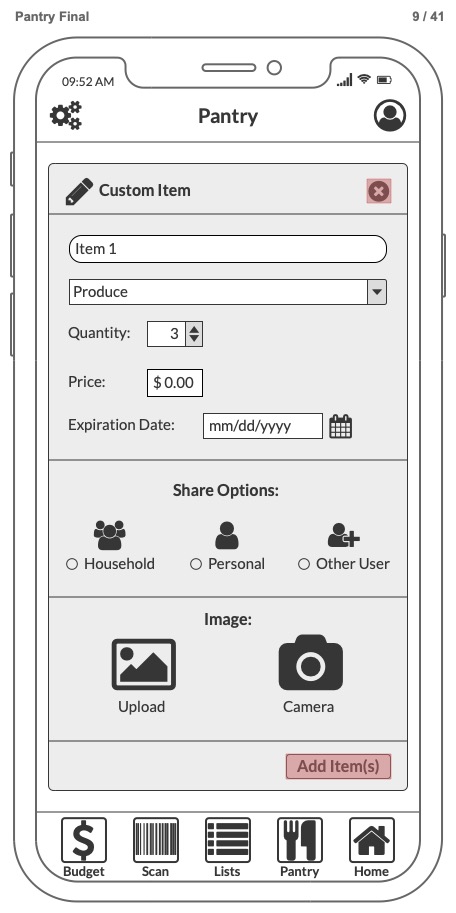
Pantry Scan provides relief to those who struggle daily with organizational challenges in their food management. While the target audience is individuals with organizational issues, Pantry Scan is for anyone wanting an organizational tool for food. (cluttered pantry, expired food, duplicate buying).
Pantry Scan offers a tool organize cluttered pantries and fridges, decrease chronic expired food, and accidental duplicate purchasing.
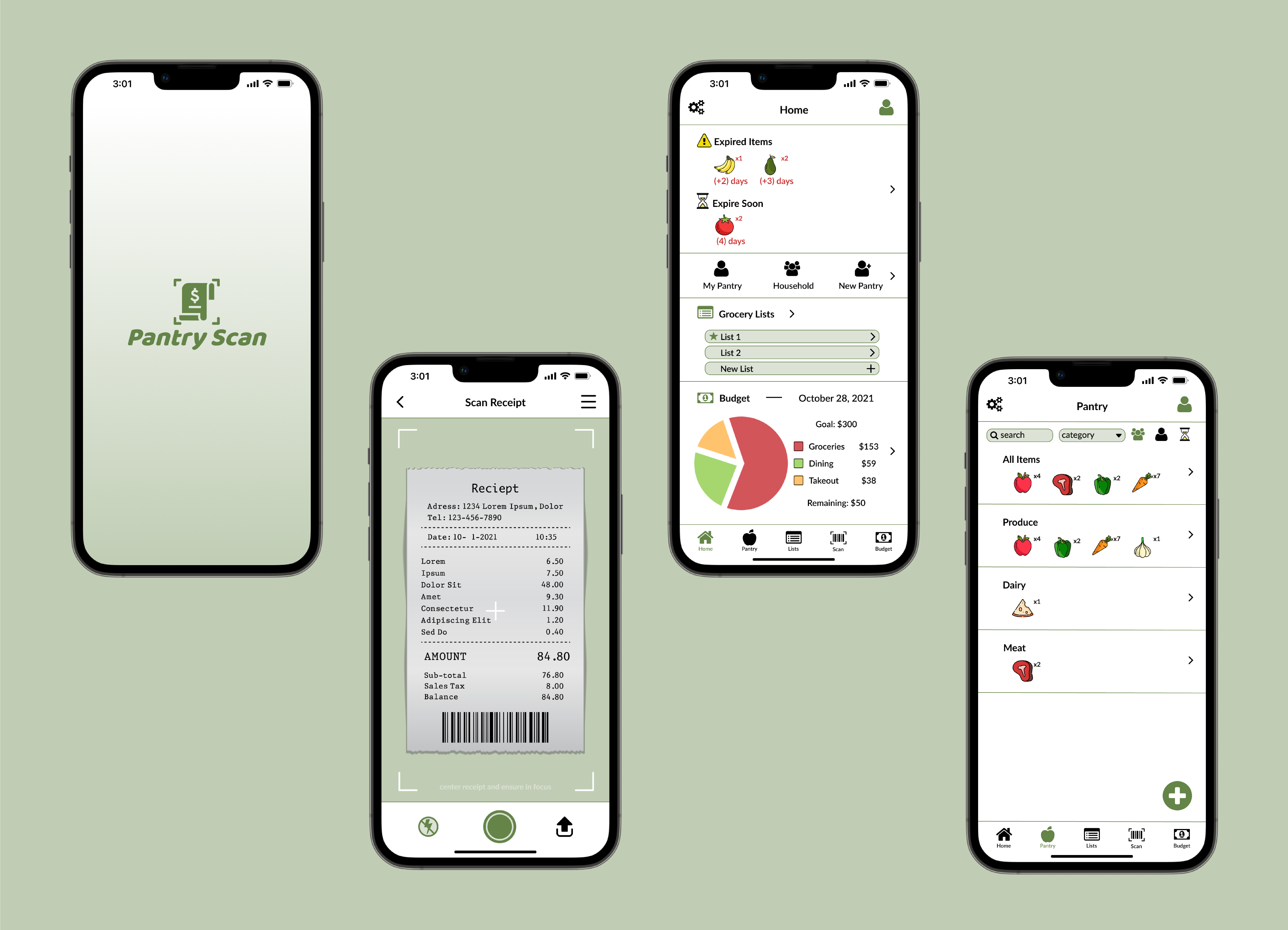
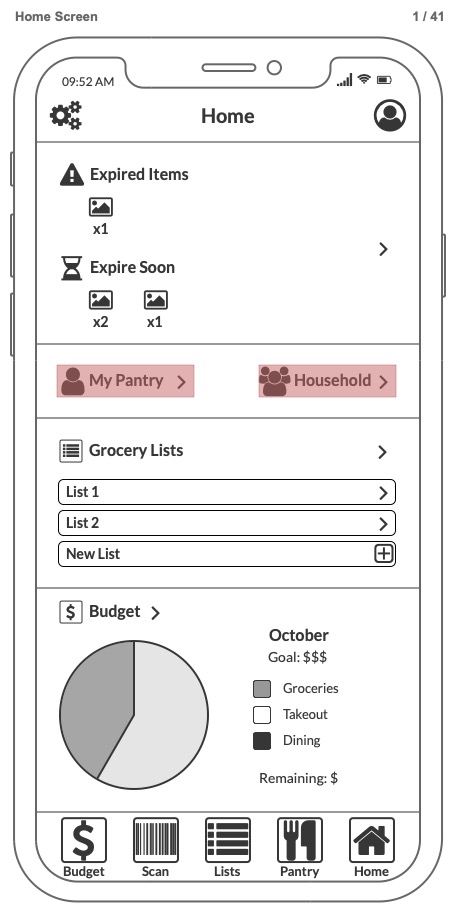
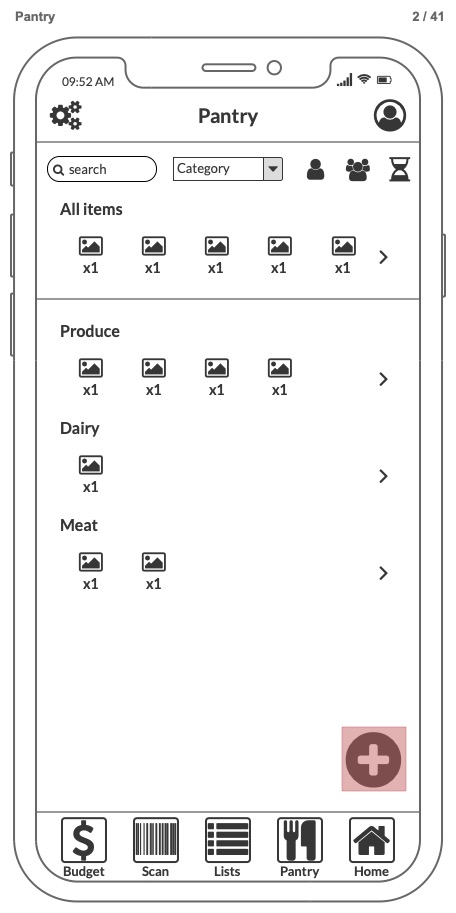
The tool enables users to add and view in their digital pantry manually or by scanning a grocery receipt, add expiration dates and reminders, household feature for shared living spaces, shopping lists, and a budgeting tool.
Try it yourself with Figma:
Click logo to begin
Hints turned on (click blue elements)
Press the R key to restart
Happy Path Example:
1. Add a custom item to your household pantry
2. Scan a grocery receipt
3. Add an expired item to a grocery list
4. Create a new household grocery list and add an item
5. Create a new budget goal for your household
Design Process
Problem Space
Many people struggle daily with their food management due to organizational challenges, time constraints, lack of structure, storage issues, impulse buying, co-living obstacles, or simply an “out of sight out of mind” mentality. Existing tools had overwhelming interfaces, cluttered with unnecessary features, stray from standard mental models, features behind paywalls, and did not provide reinforcement for those who struggle to stay on top of a new good habit.
Roles
Researcher
UX/UI Designer
Product Designer
Tools
Figma
Balsamiq
Adobe Illustrator
Human-Centered Design
Research Method
Stakeholder Interviews
Competitive Analysis
Rapid Prototyping
Affinity Mapping
Project Path
1. Stakeholder Interviews
Conducted 3 contextual stakeholder interviews to analyze and establish a user persona and user requirements.
2. Competitive Analysis
Analysis of current tools stakeholders identified as having used in contextual interviews, along with popular apps in the app store.
3. Prototyping
Made a series of rapid physical prototypes and low and high fidelity digital prototypes.
4. Usability Tests
Conducted a heuristic evaluation of prototypes prior to usability tests with 3 stakeholders to identify and address design issues.
3. Data Analysis
Qualitative analysis of stakeholder interviews, usability tests, and competitive analysis of available digital tools.
6. Filling the Gap
Insights into what stakeholders want compared to what current tools lack allowed iteration on core ideals; organization, personalization, reduction in overwhelm.
Research and Insights
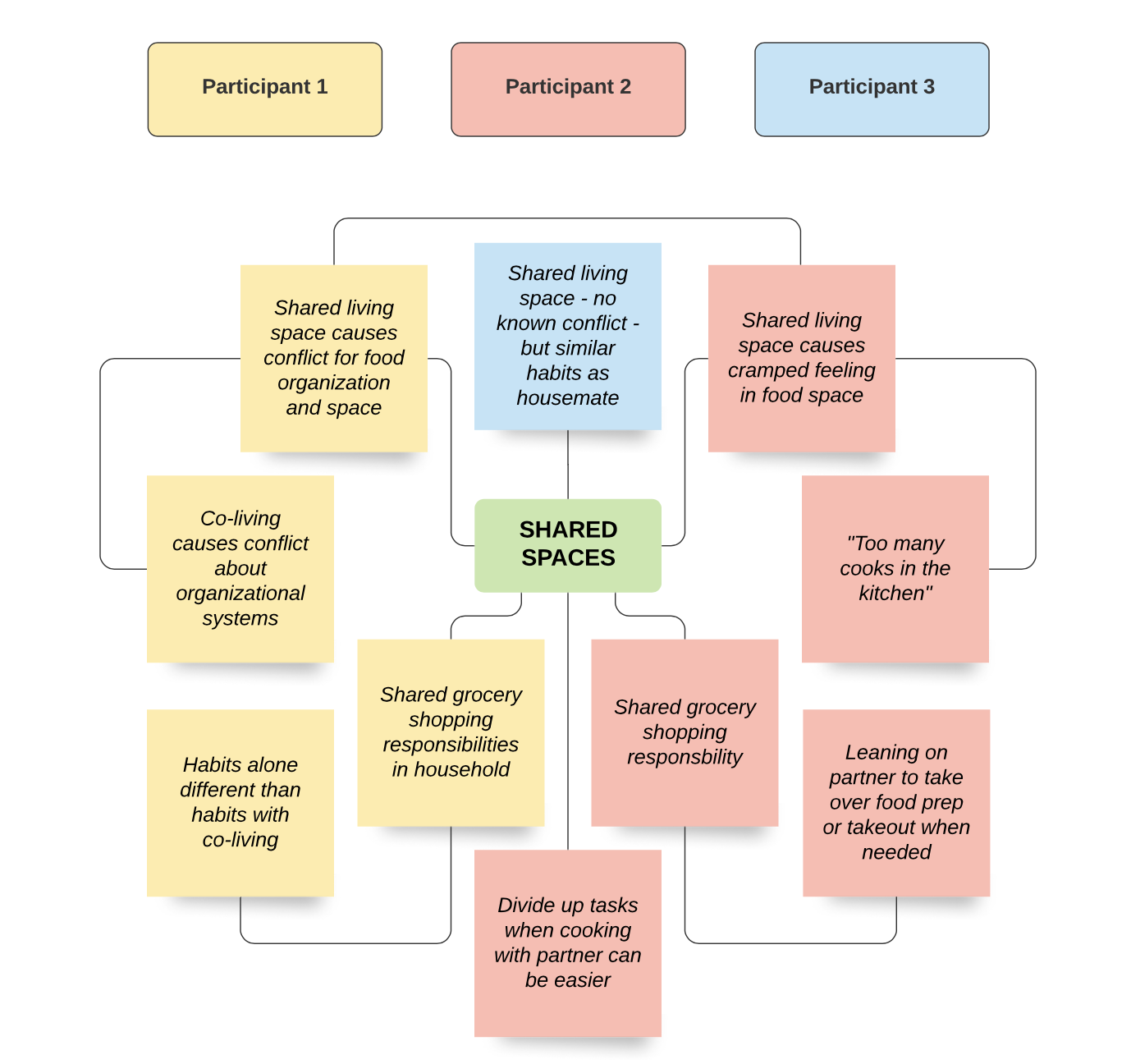
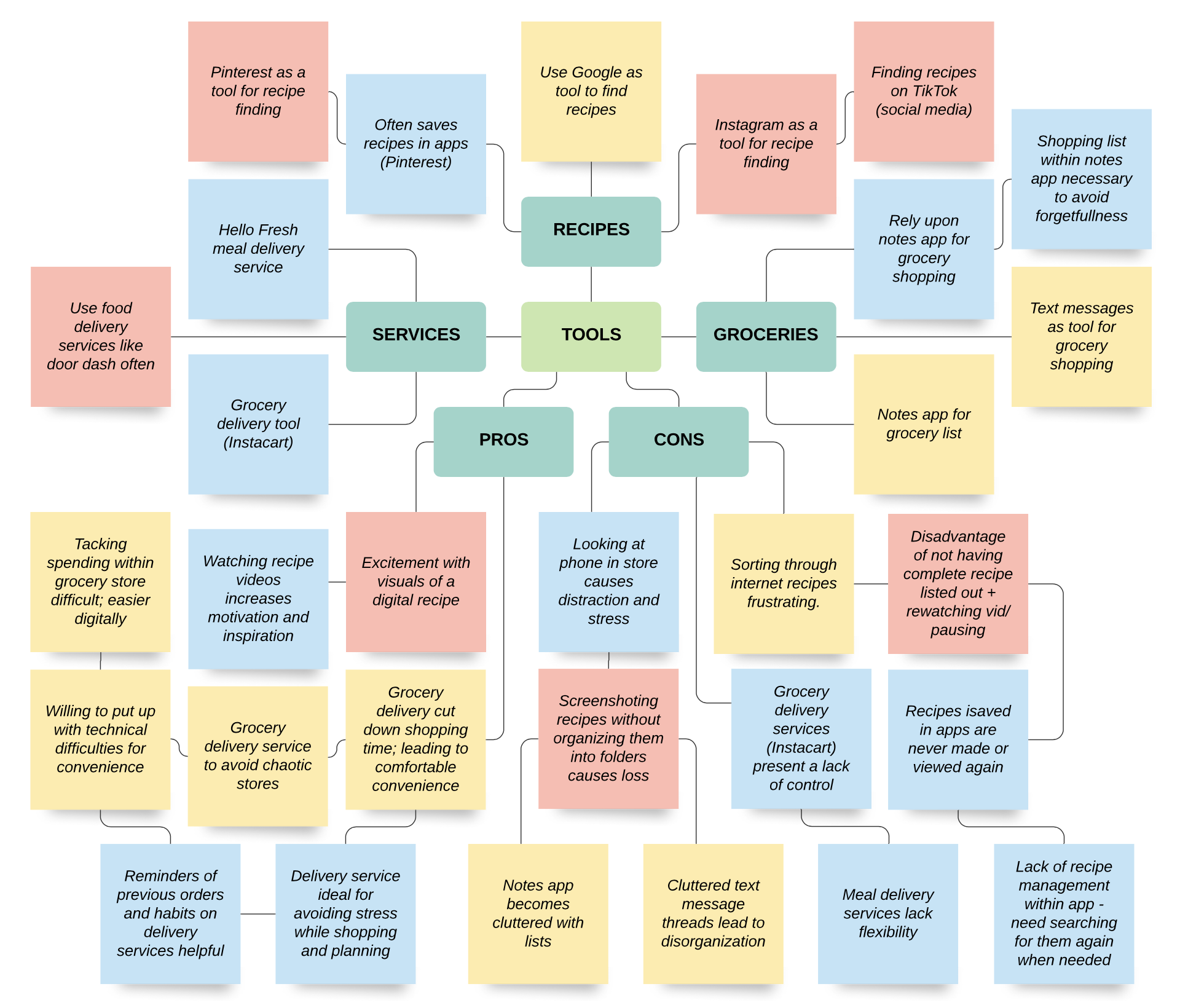
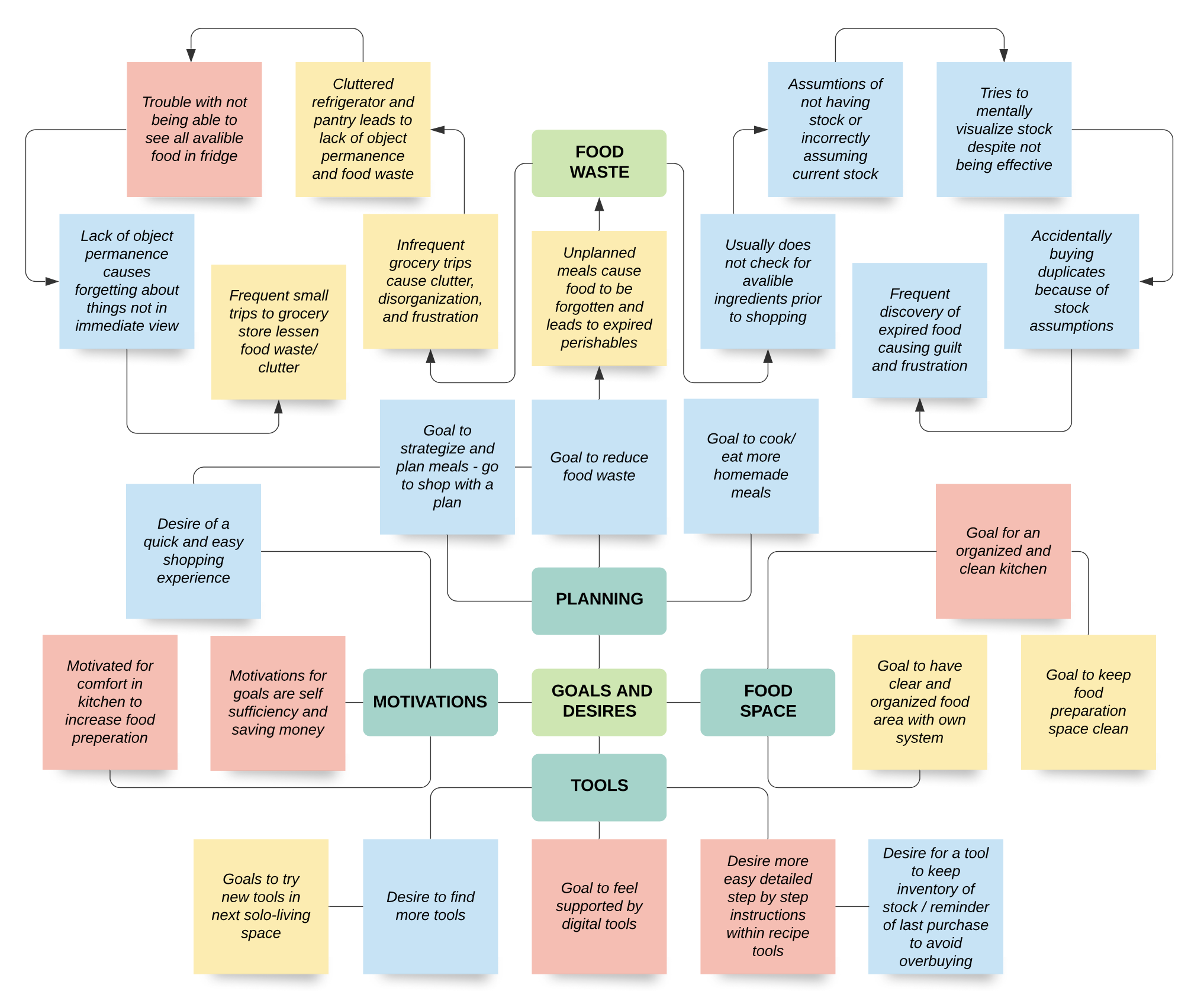
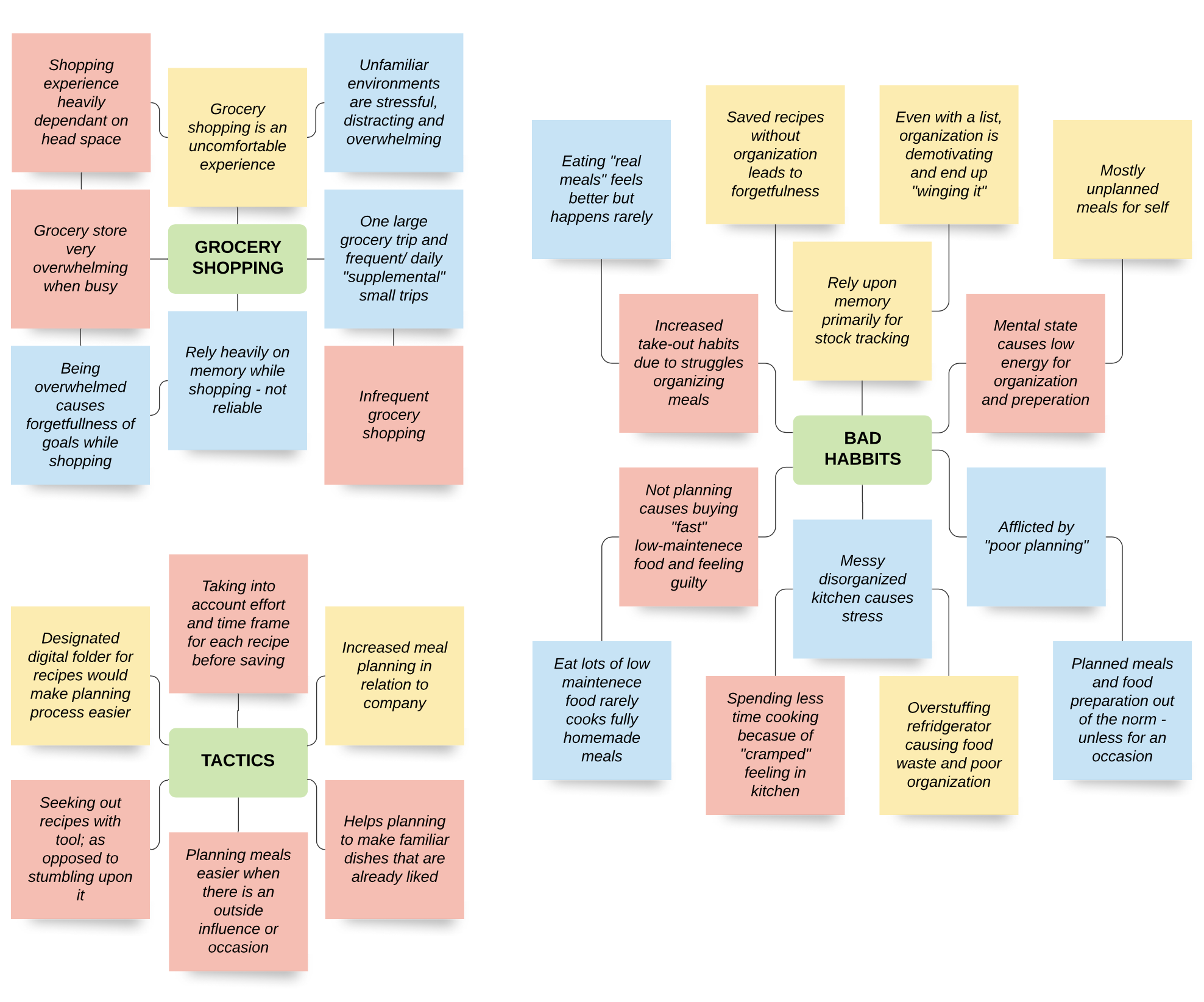
The affinity maps below are a diagram of qualitative findings of interviews
Themes:
Shared living spaces can have significant impacts on food management habits, emotions, organization skills etc.
Participants use similar tools for particular uses; food and grocery delivery apps, recipe sourcing, grocery shopping lists and have similar issues with each.
Goals and desires of participants include 4 main themes; planning, motivation, physical space, and tool use.
Environmental factors contribute to overwhelm. Example: the grocery store is overwhelming and leads to forgetfulness, overstimulation, infrequent visits etc.
Messy and disorganized physical spaces lead to avoidant behavior towards cooking. Crowded storage leads to food waste and conflict. Poor planning for grocery shopping leads to struggles meal planning.
Challenges contribute to poor physical and mental health, negative self-talk, shame and guilt, stress, interpersonal relationship strain, and low motivation.
User Persona
Sam
Sam is a busy university professor. She values her time, energy, and stress levels. She lives with her spouse who is also a professor. Sam is responsible for managing their food space and grocery shopping. She has tried a few different organizational tools and feels demotivated with each failure. The tools are overwhelming because of the excess functionality and clutter. Sam does not want to spend her valuable time after getting home from a stressful grocery shop and manually input each item into an app. Sam is risk-averse about using unfamiliar technology.
Values:
Convenience / minimum effort
Clean living and food space
Limiting food waste
Stress-free grocery shopping
Money conscious
Low-stress and accountable relationship with spouse
Positive relationship with food management
Feel motivated by organization and planning
Prototyping
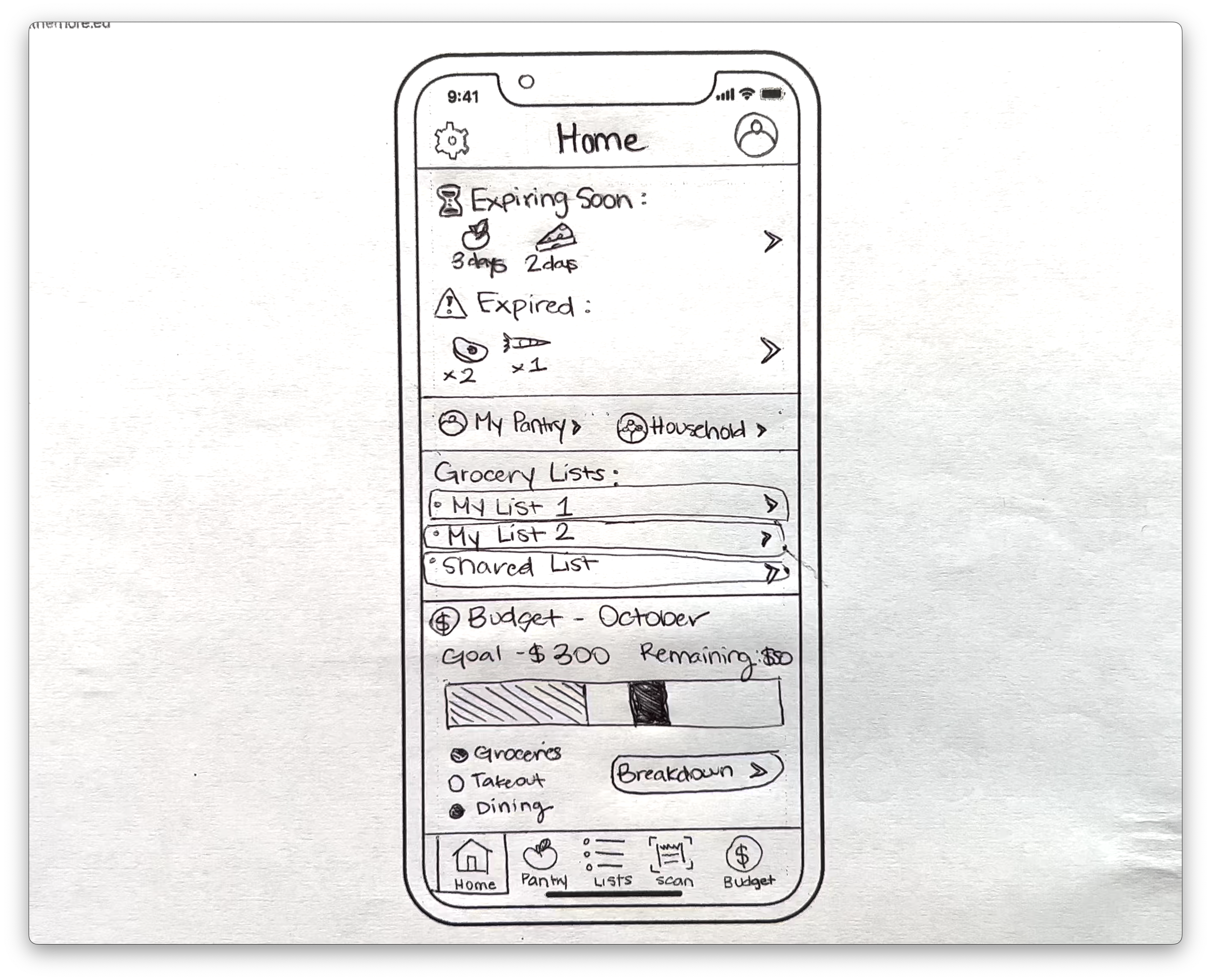
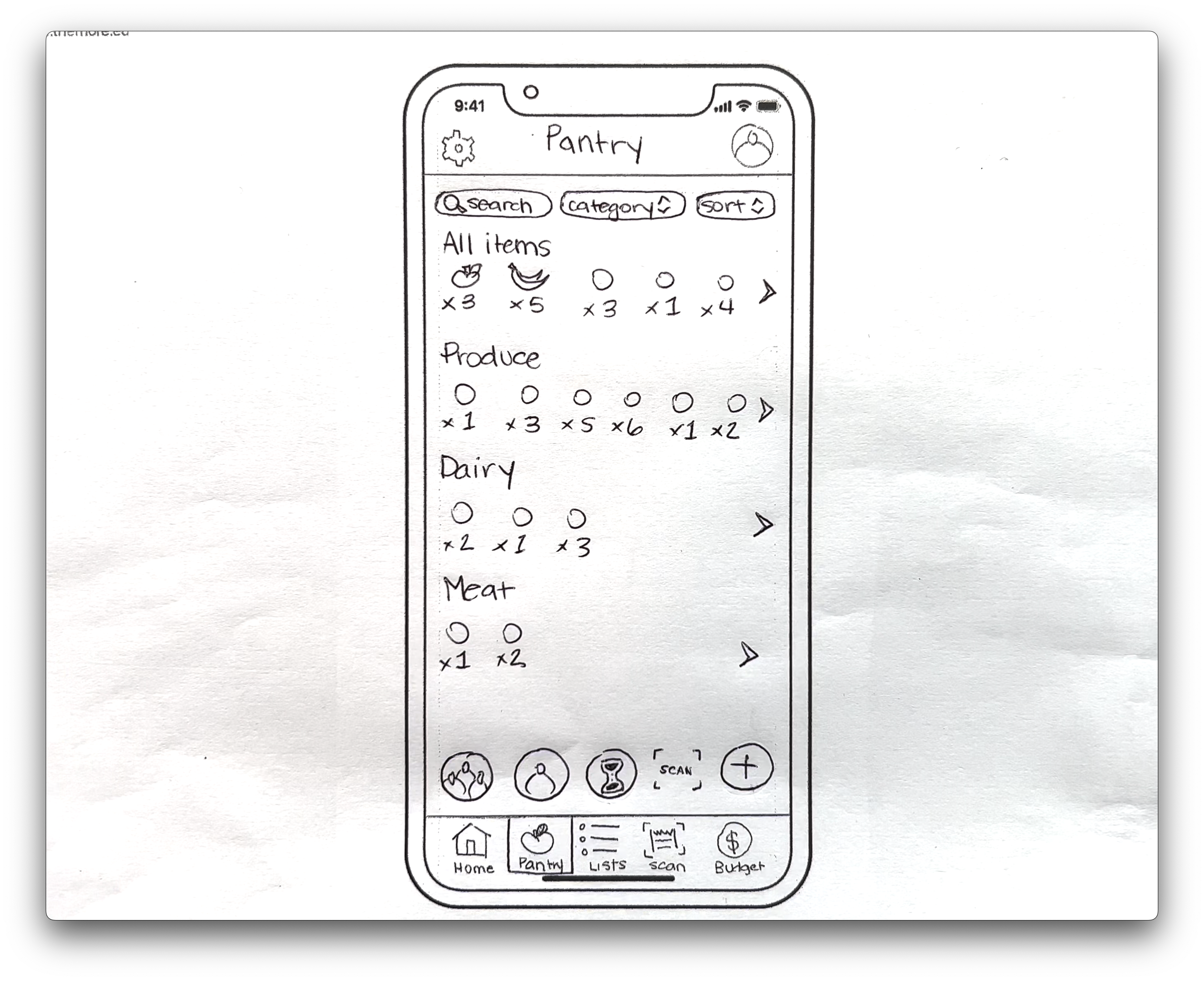
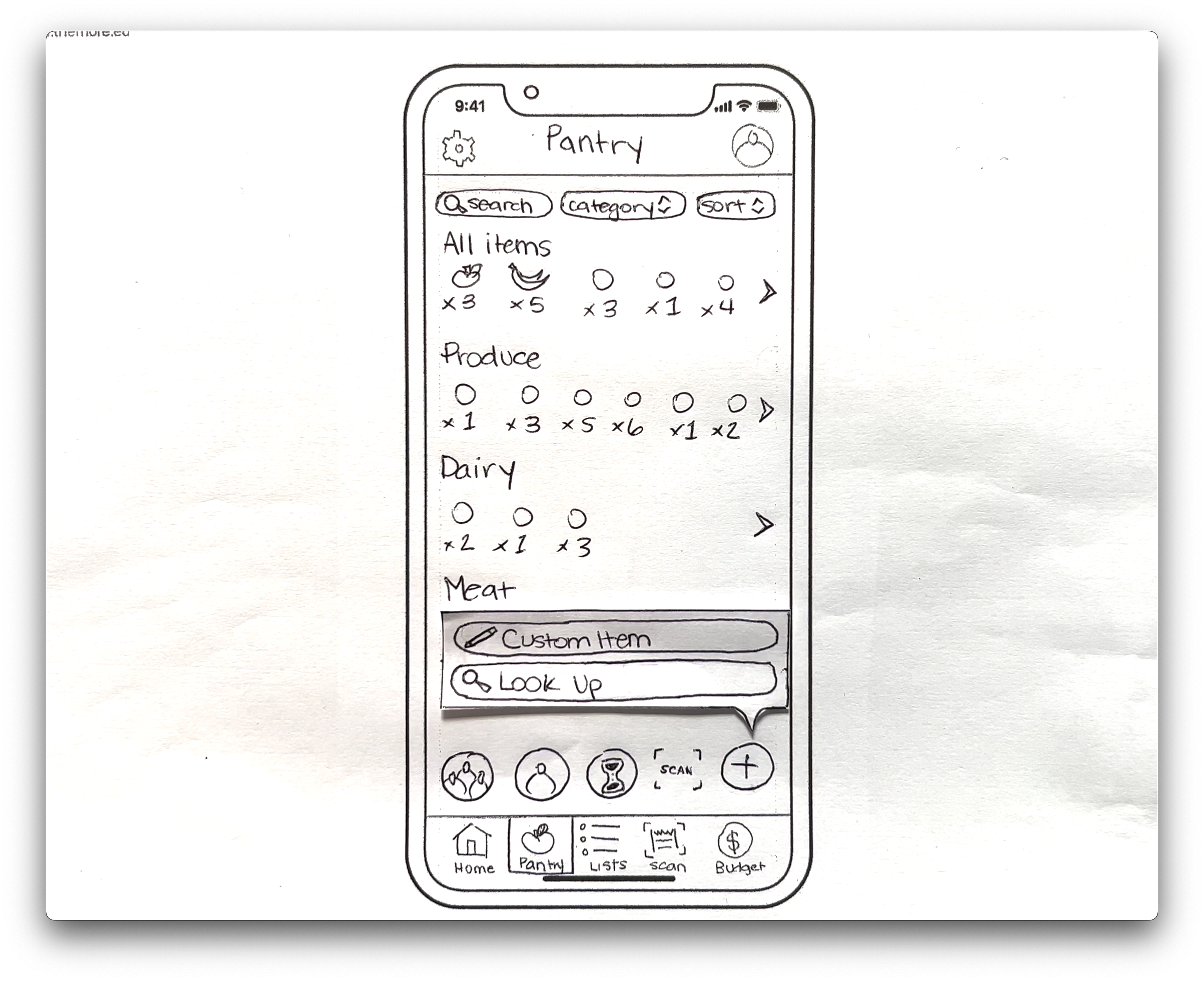
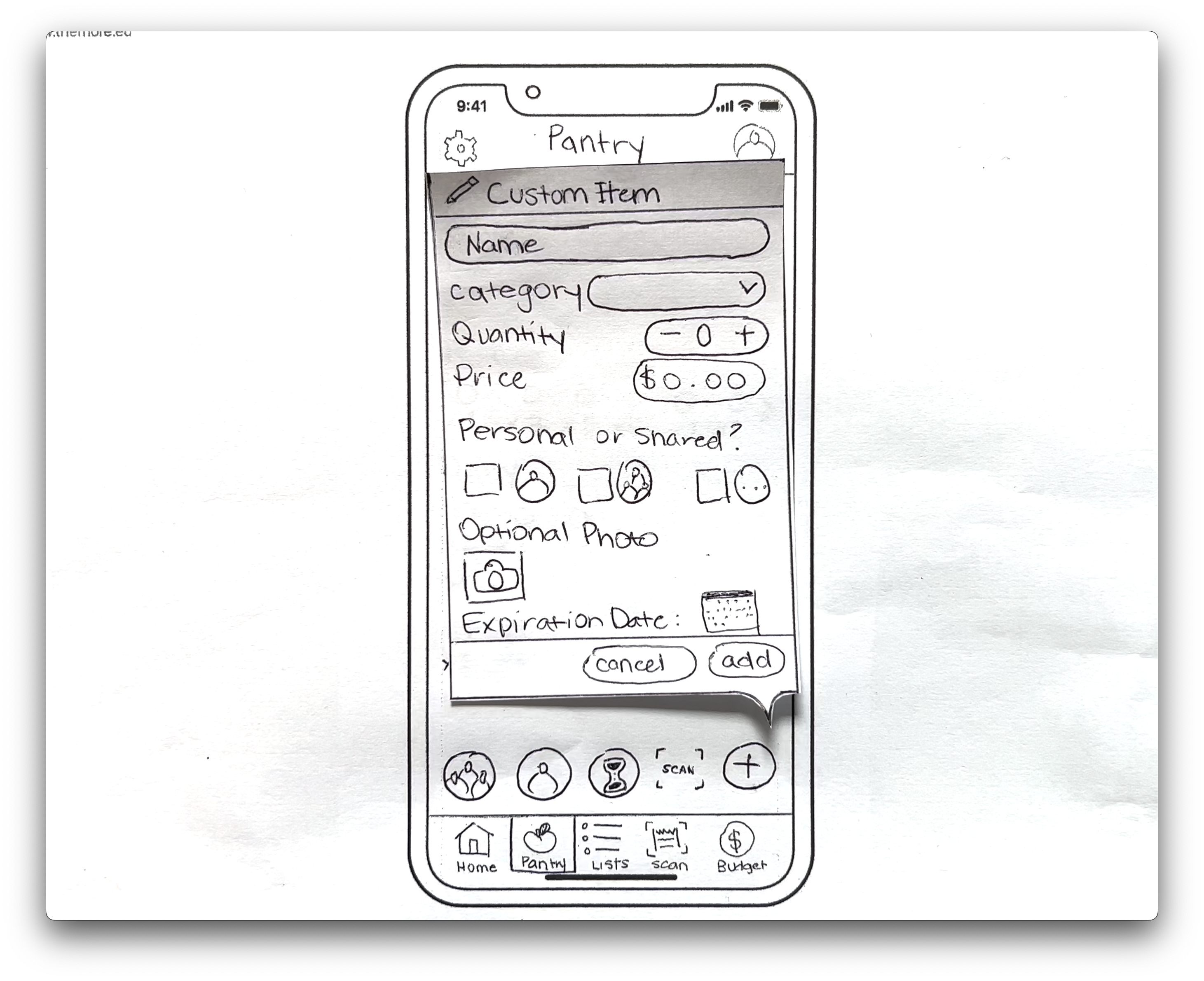
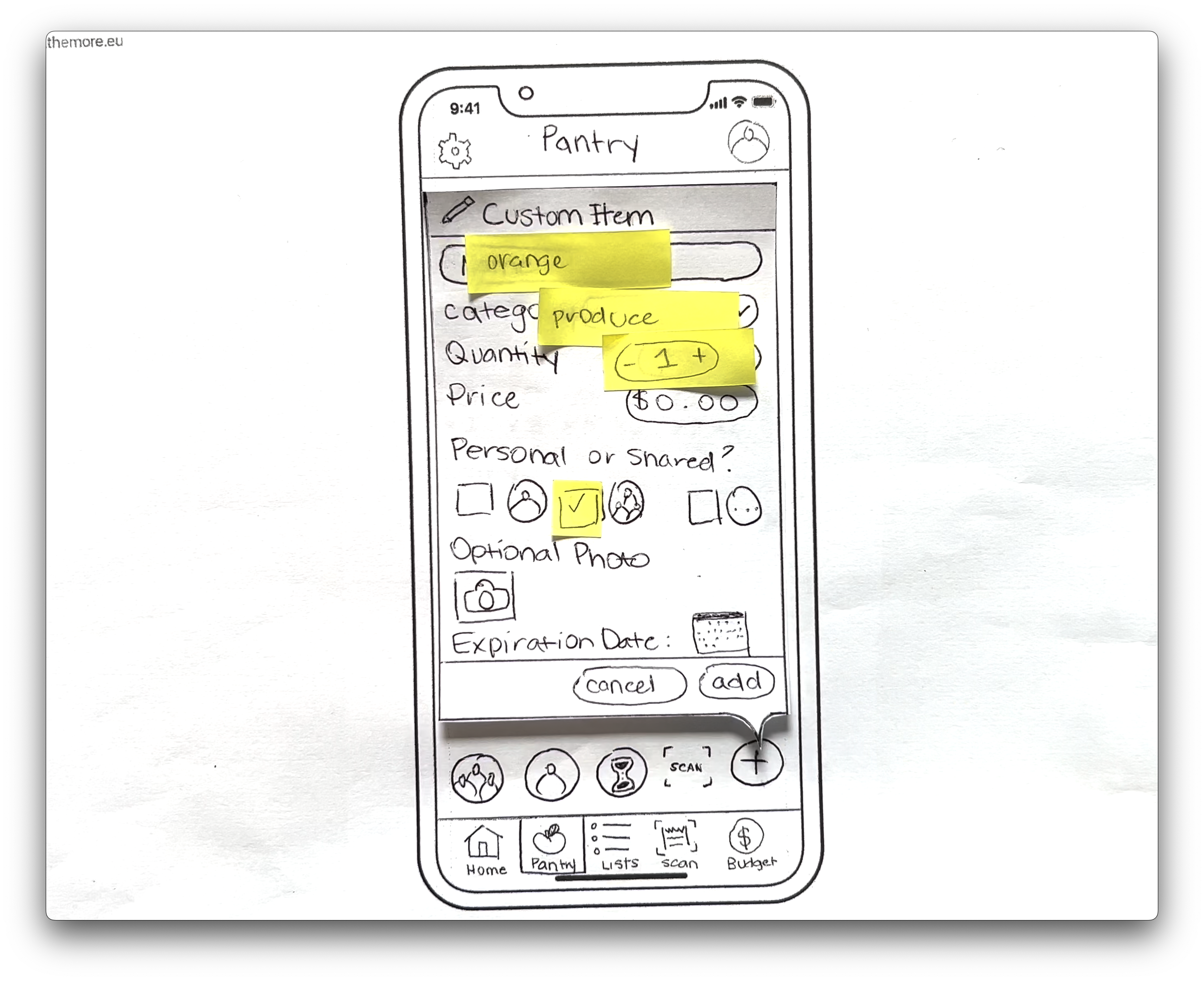
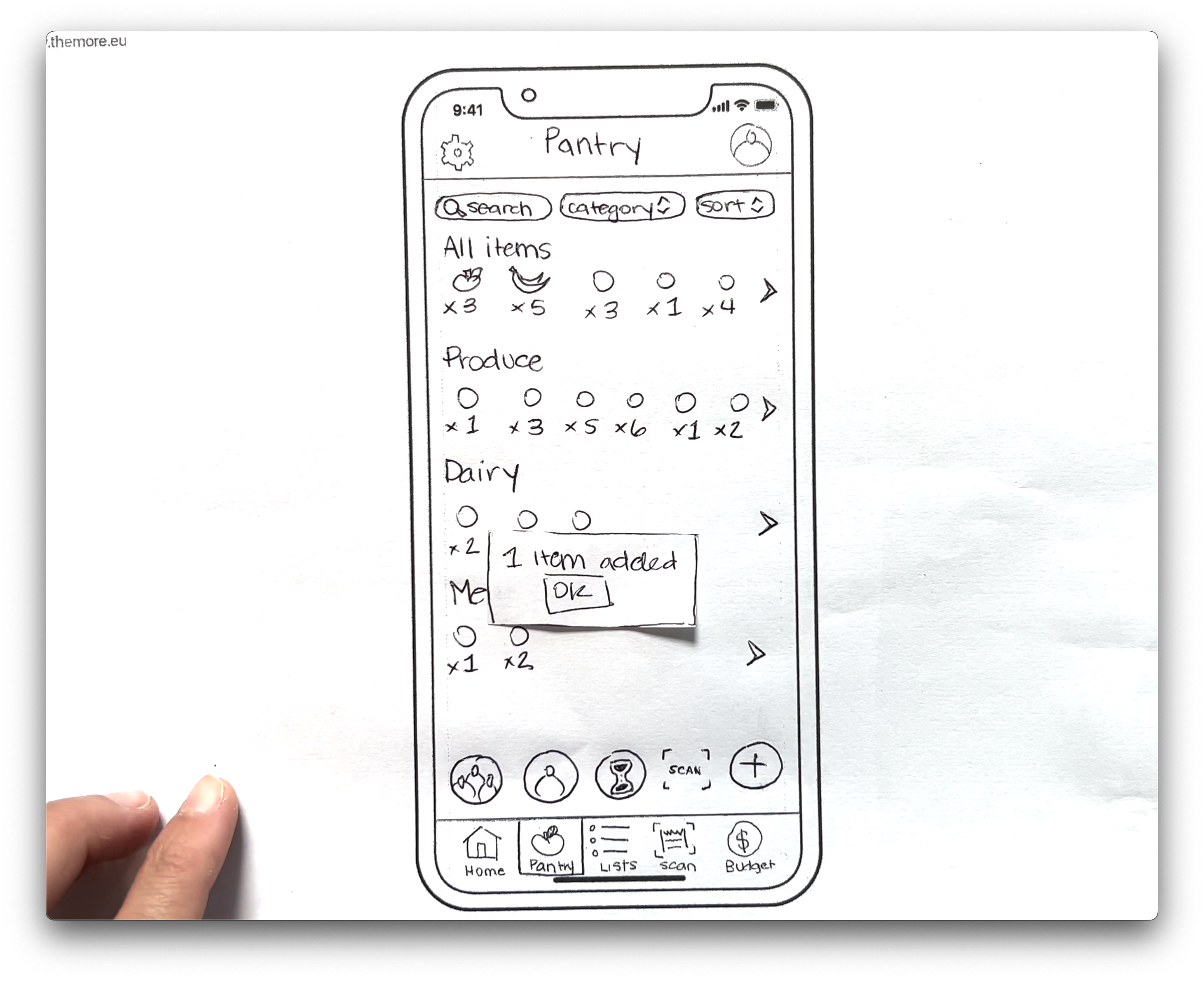
Paper Prototype Path 1: User adding items to digital pantry.
User begins on homepage by tapping “My Pantry”
To add a pantry item user taps the “+” icon
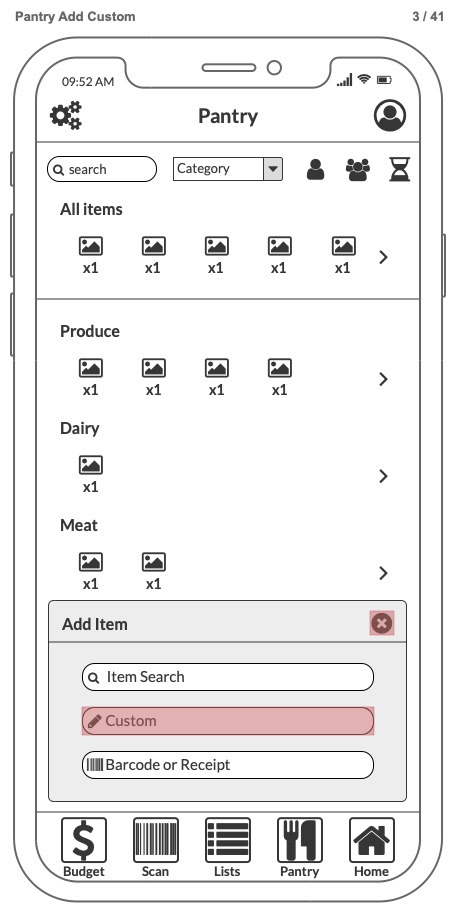
Two prompts “Custom Item” “Lookup”
User clicks “Custom Item”
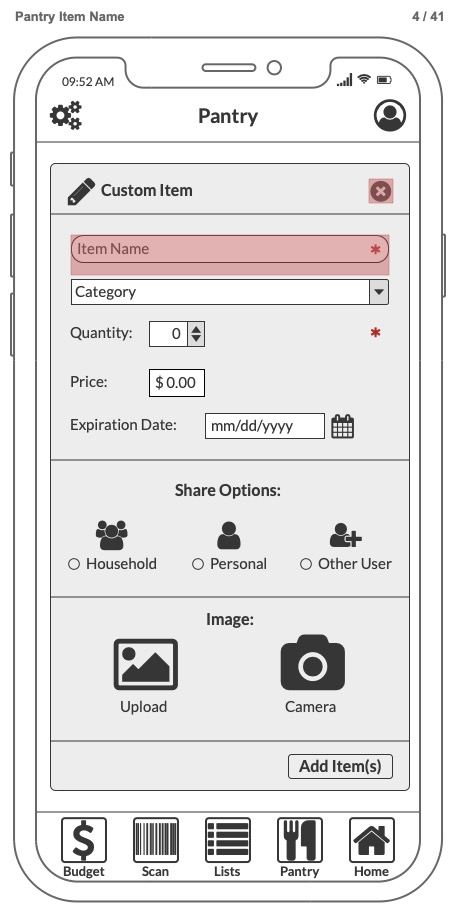
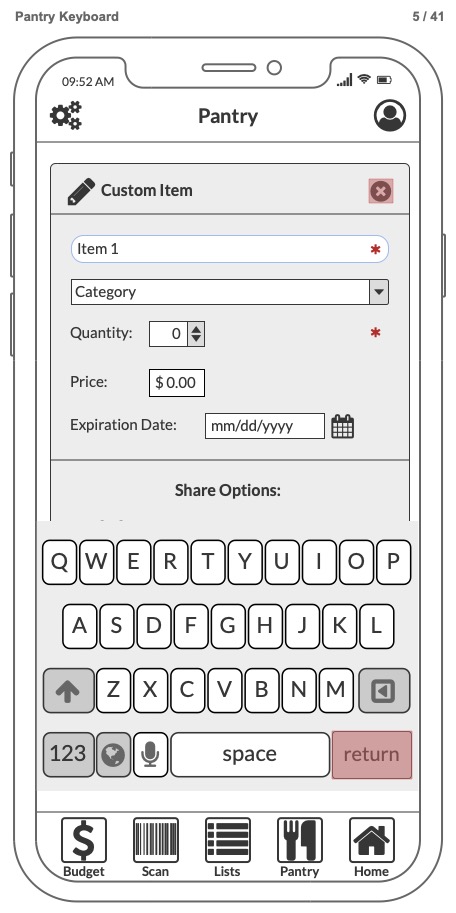
Clicking “Name” prompts a keyboard
Item name is entered
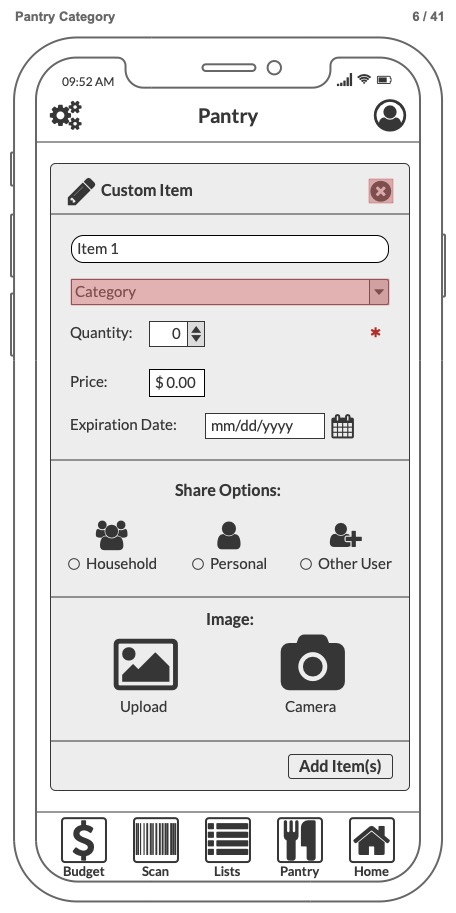
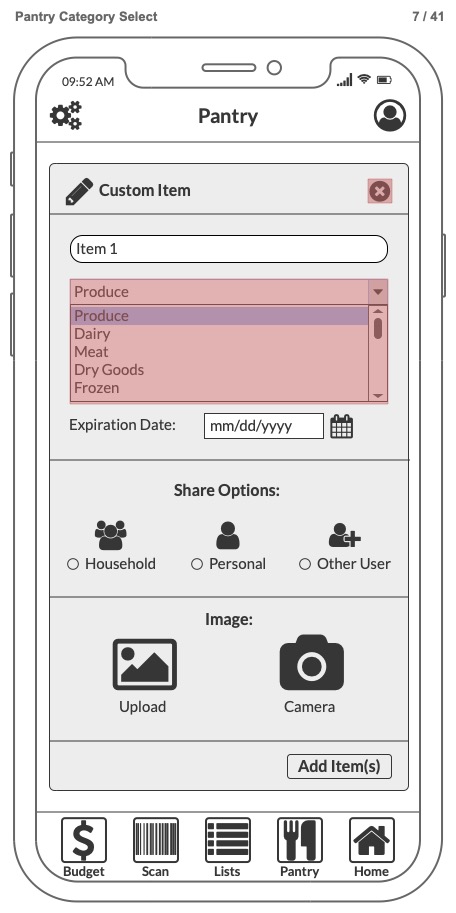
Item “Category” chosen via popup menu
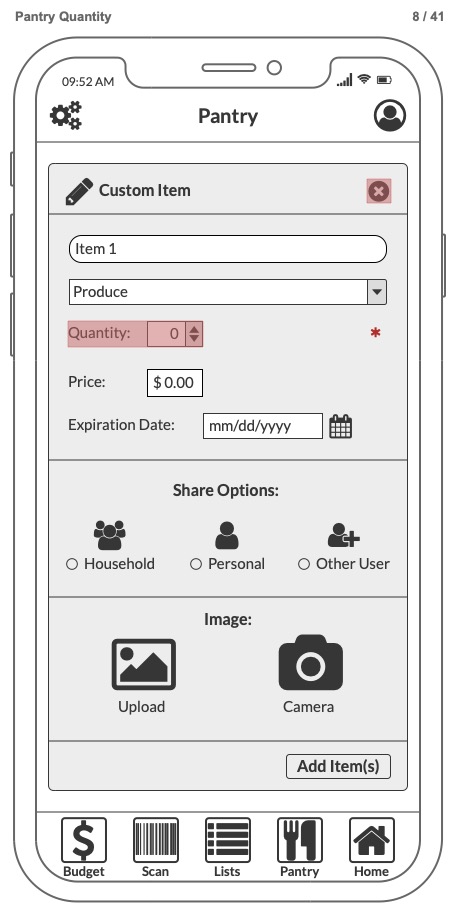
Item quantity selector
User can add as shared household or personal item
User clicks add to pantry
Wireframe Prototype using Balsamiq UI Design Tool: